
Drops · en
How to Get the New Builder Cape in Minecraft (2026 Guide)

Minecraft players have a brand-new free cape to unlock — and luckily, getting it is incredibly easy.
The new Builder Cape is a limited-time cosmetic released during Minecraft’s newest event, and players can unlock it simply by watching Minecraft creators on Twitch for a few minutes. No purchases, Minecoins, or complicated missions are required.
If you want the fastest and easiest way to unlock the Builder Cape in Minecraft, follow this step-by-step guide.
How to Get the Builder Cape on Twitch (Recommended Method)
For most players, Twitch is by far the easiest way to get the Builder Cape.
All you need to do is watch a Minecraft livestream for a few minutes and claim your reward code.
Step 1: Open Twitch
First, go to Twitch and sign into your account.
Search for the Minecraft category or simply click here and browse creators currently streaming Minecraft.
You can watch any Minecraft stream, but there is one important requirement:
The streamer must be a Twitch Partner or Affiliate for the Builder Cape reward to work.
Usually, most larger Minecraft streamers qualify automatically.
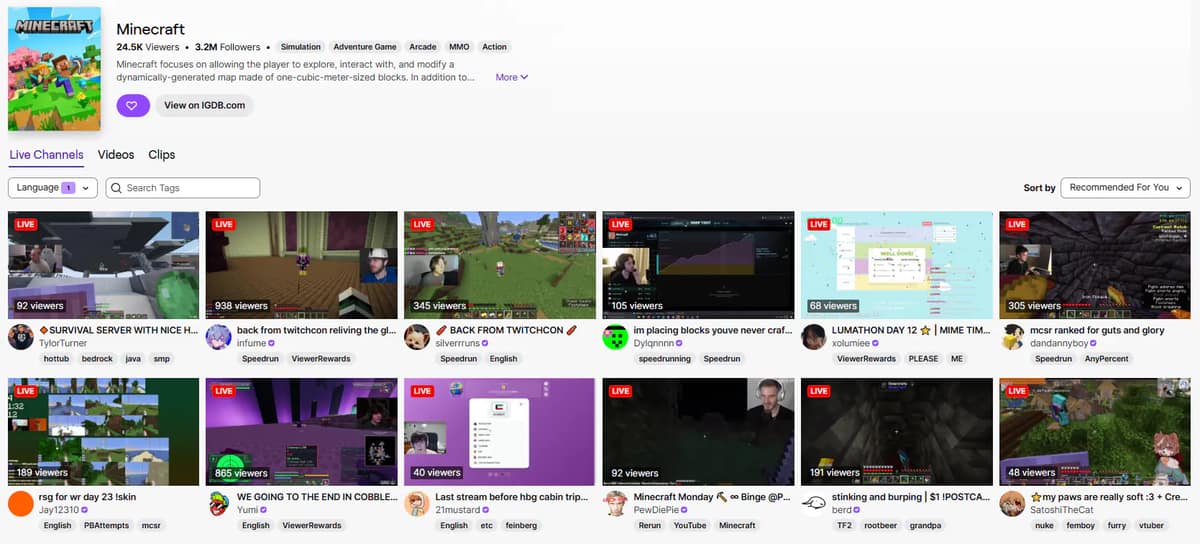
Step 2: Watch for 5 Minutes
Once you find a Minecraft livestream, simply keep watching for at least 5 consecutive minutes.
That’s literally it.
You do not need to type in chat, subscribe, or interact with the stream.
Just make sure:
- The stream stays live
- You remain logged into Twitch
- You watch for the full 5 minutes without constantly switching streams
To avoid problems, it’s usually safer to leave the stream open for around 6–8 minutes just in case Twitch tracking is slightly delayed.
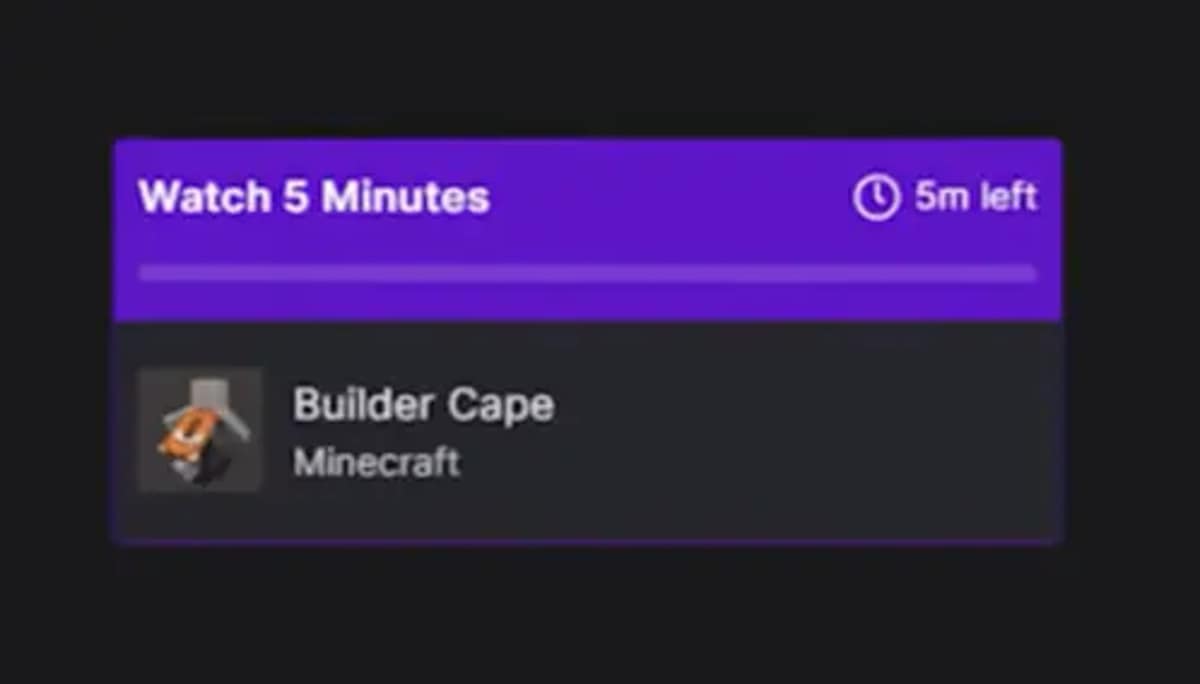
Step 3: Claim Your Reward Code
After enough watch time, Twitch should give you a Builder Cape reward code.
You may receive a notification directly on Twitch, or you can check your rewards section.
Copy the code because you’ll need it for the final step.
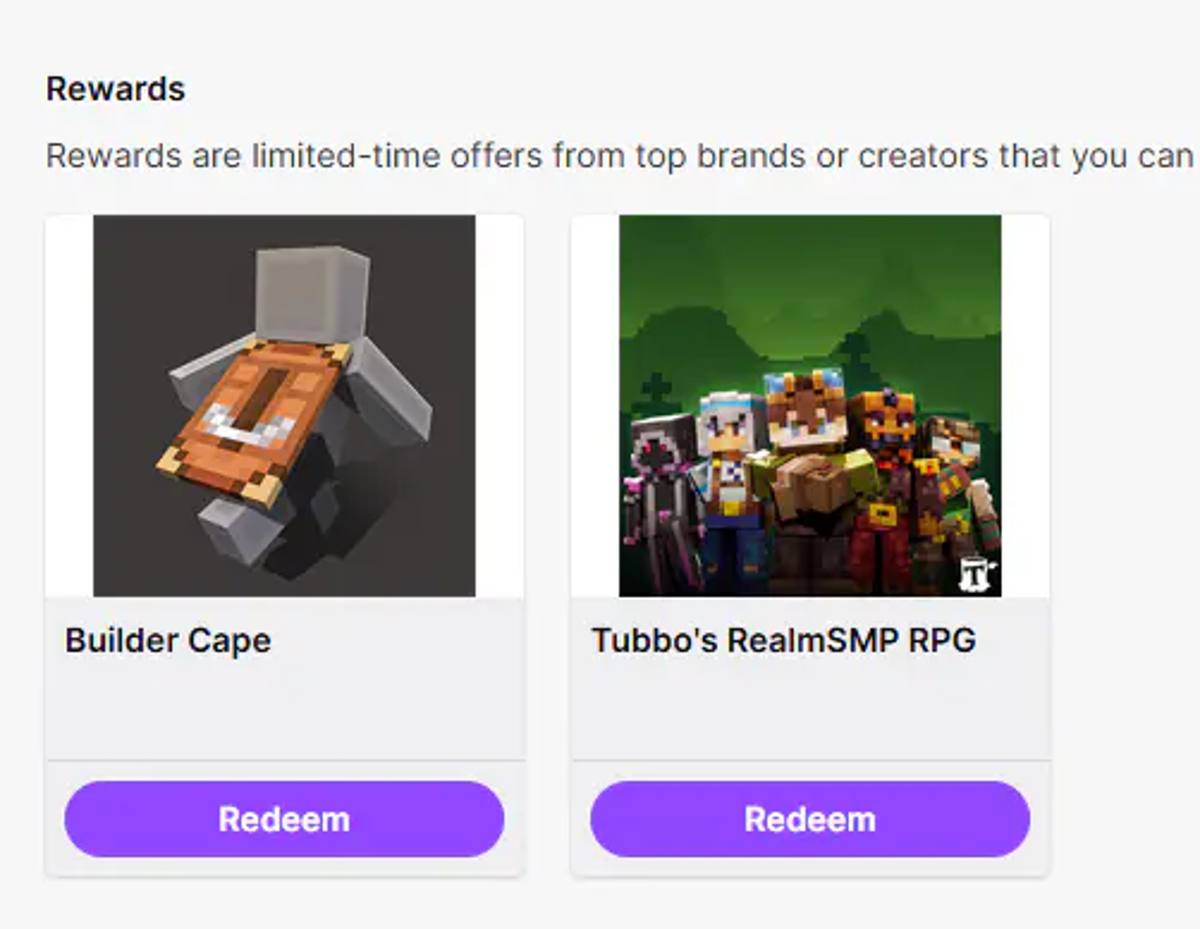
How to Redeem the Builder Cape
Once you have your code, go to minecraft.net/redeem.
Sign into the same Microsoft account connected to your Minecraft profile.
This part is important — if you use the wrong account, the cape could end up on another Minecraft profile.
Paste your Builder Cape code into the redeem box and press Redeem.
Done.
Open Minecraft and check your character customization menu, where the Builder Cape should appear automatically.
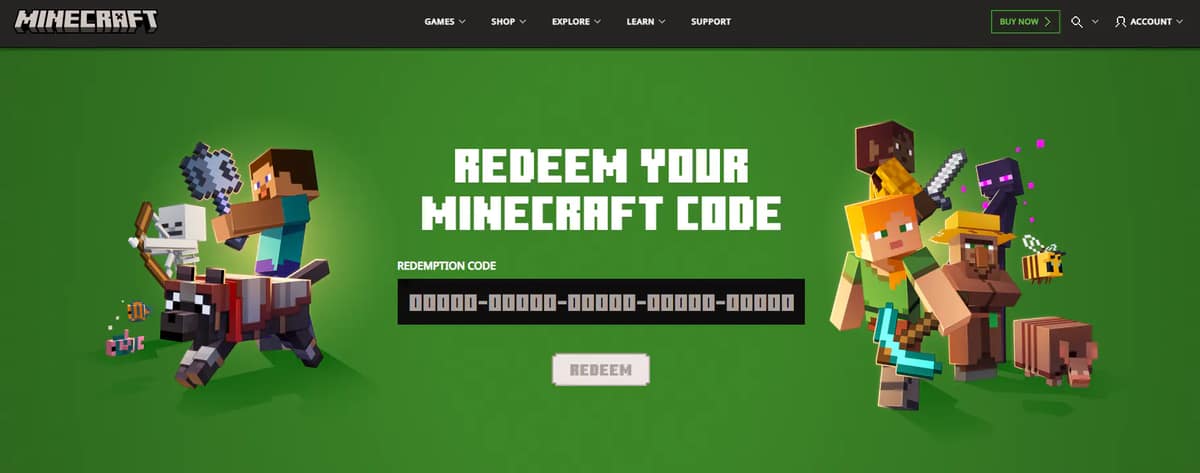
TikTok Alternative (Faster Method)
If Twitch isn’t working for you, there is also a TikTok method.
Simply watch a Minecraft livestream with Game Rewards enabled for at least 3 consecutive minutes and TikTok should provide the same redemption code.
However, since most Minecraft players already use Twitch, we recommend sticking with the Twitch method whenever possible.
Builder Cape Dates (Don’t Miss It)
The Builder Cape is only available for a limited time.
You can earn the cape by watching streams between May 30, 2026 and June 14, 2026.
Even if you already got your reward code, make sure to redeem it before June 30, 2026, or you may permanently lose access to the cape.
Because Minecraft event capes rarely return, there’s a good chance the Builder Cape becomes a rare cosmetic later on.
Builder Cape Not Showing?
If the cape doesn’t appear immediately, don’t worry.
Try restarting Minecraft and double-check that you redeemed the code on the correct Microsoft account.
Sometimes Minecraft cosmetics take a little while to sync, so waiting a few hours can also solve the issue.
Final Thoughts
The Builder Cape is honestly one of the easiest free Minecraft capes to unlock in years.
You only need to watch a Twitch stream for about 5 minutes, redeem the code, and you’re done.
Since it’s free and only available for a limited time, it’s definitely worth claiming before the event disappears.